NOTICE
- The following procedures are intended for the Anxine equipment only. For other brands, refer to the original manufacturer’s instructions.
- Always disconnect and lock out both the power and compressed-air supplies, and release all residual pressure, before performing maintenance, cleaning, or mold changeover.
- Only trained and authorized persons are permitted to work on the equipment.
- Your equipment may vary from images or videos due to ongoing upgrades.
- If any part of this guide is unclear, contact Anxine for technical support before proceeding.
Section 1: Operation Procedures
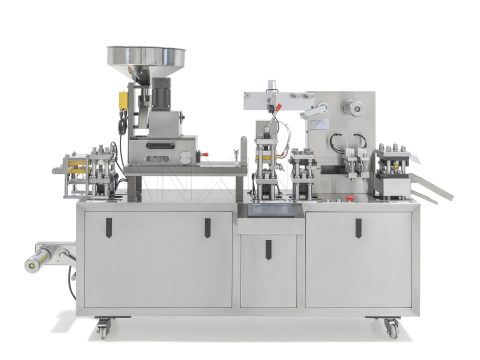
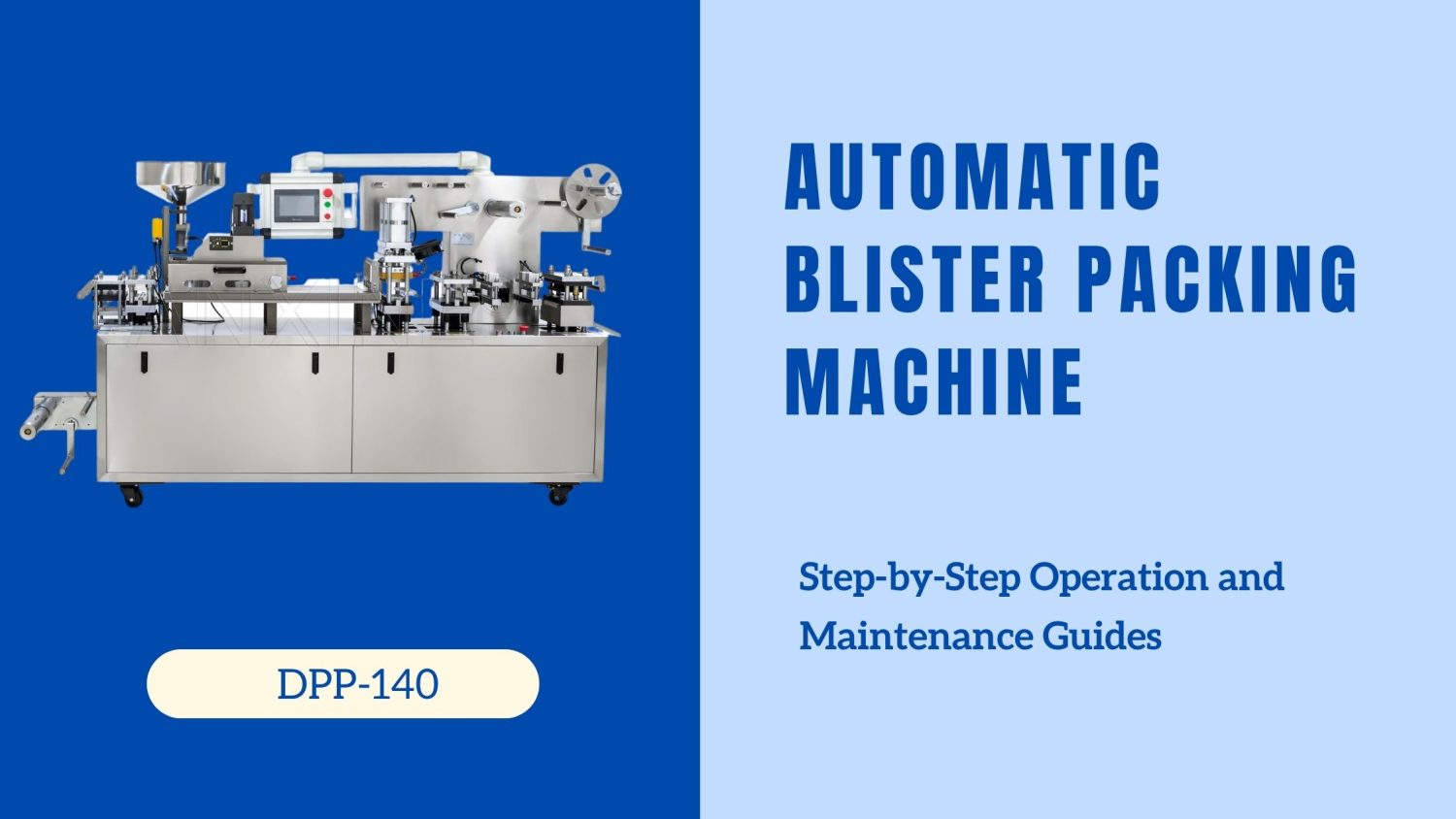
This model DPP-140 can automatically handle the whole blister packaging process from film sealing to finished pack cutting. It produces 7200 strips/hour, which is suitable for large-scale businesses. The operation is also not difficult.
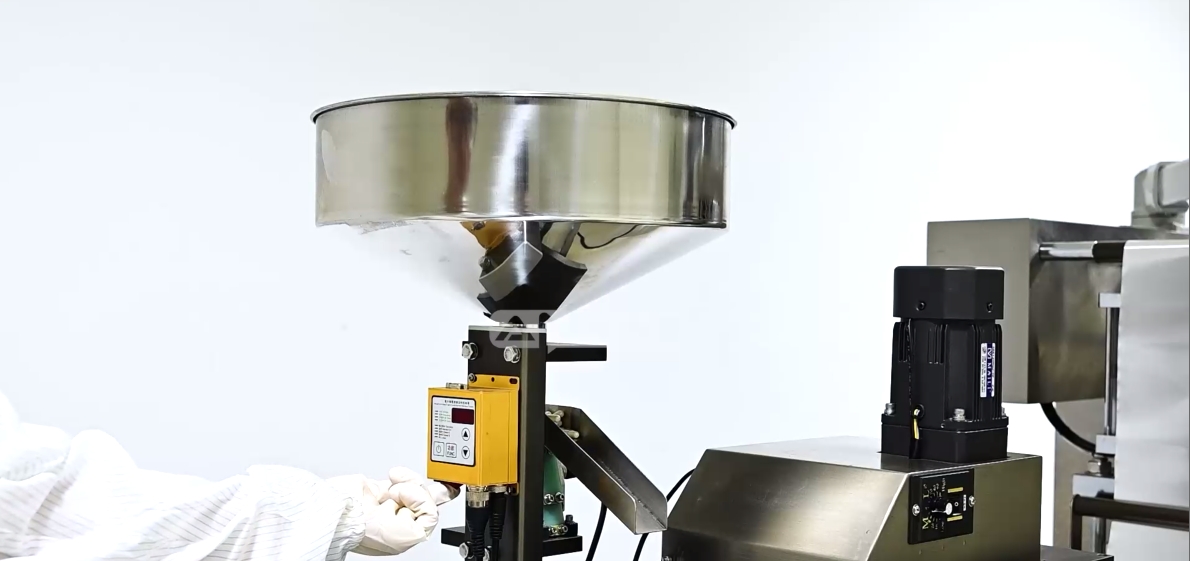
Step 1: Add the materials to be packaged and heat-sealed into the hopper.
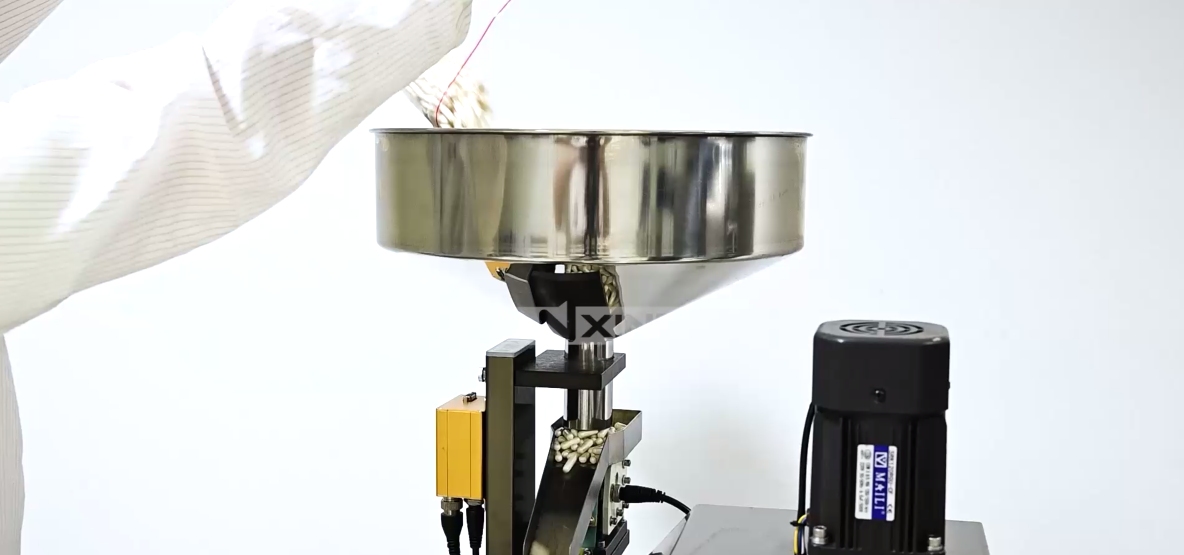
Step 2: Turn on the vibration switch. It allows tablets or capsules to enter the blister cavities evenly. This prevents material accumulation or blockage.
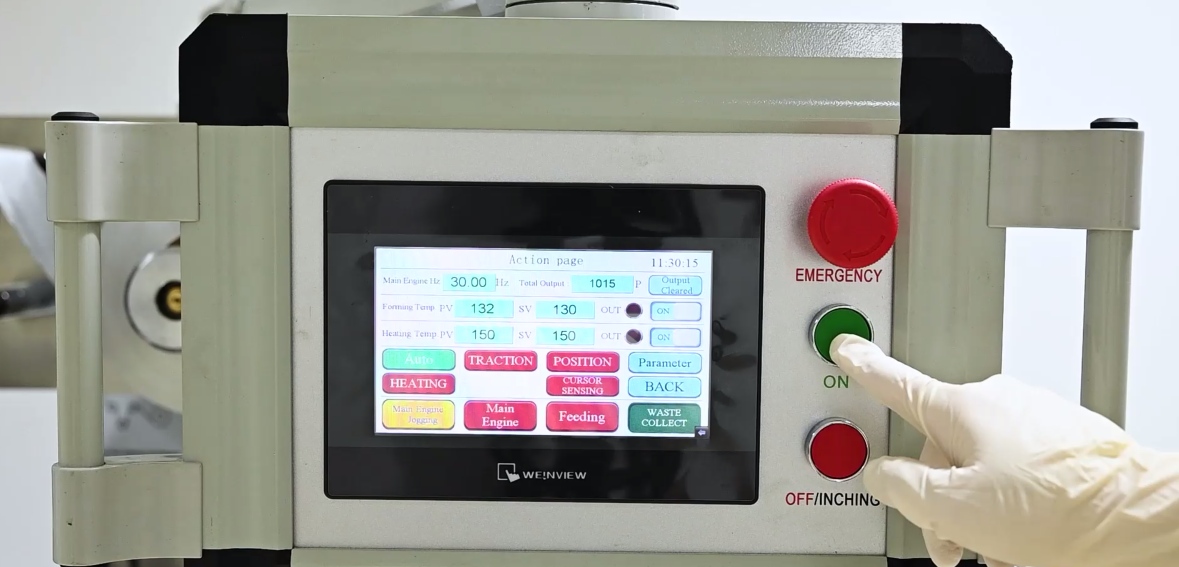
Step 3: Set the parameters on the control panel, such as the speed of main engine, forming and heating temperature, then start the machine.
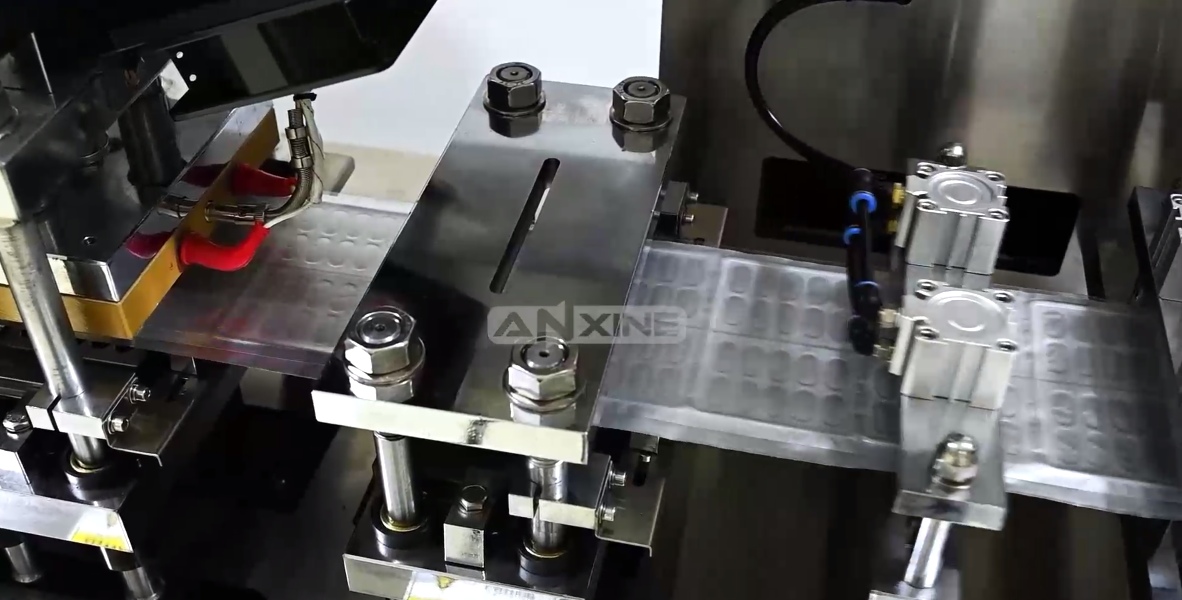
Step 4: The packaging process begins. The PVC sheet is first heated and formed into blister cavities. After the products are filled into the cavities, the PVC sheet is sealed with the aluminum foil to complete the blister pack.
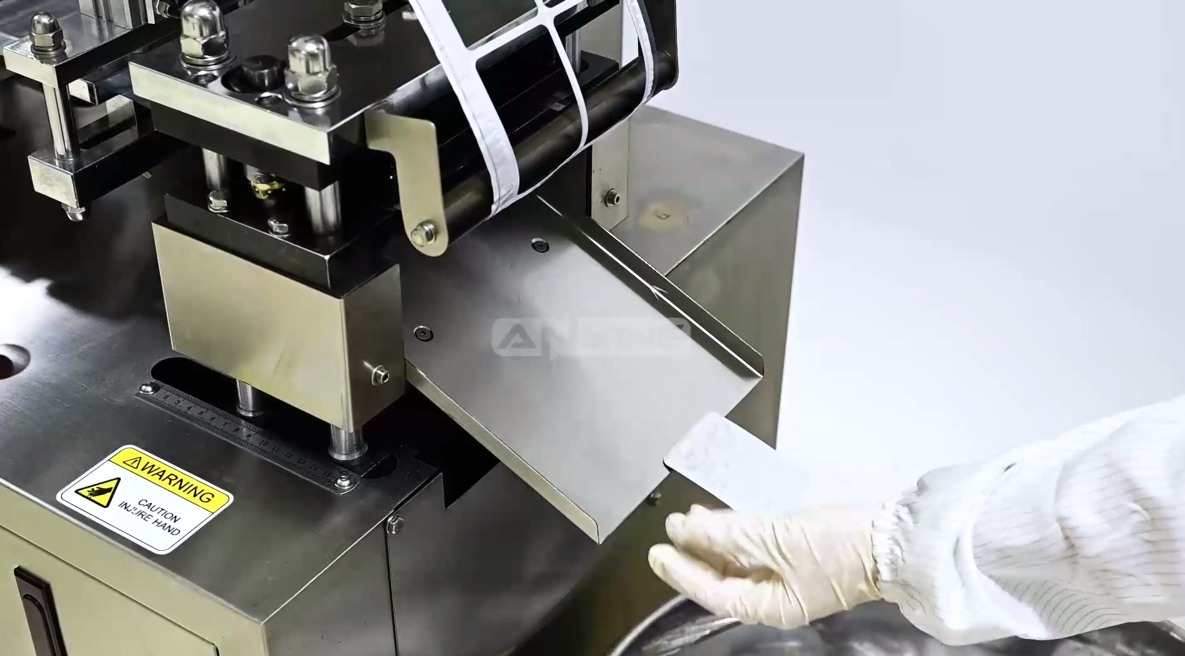
Step 5: The finished blister packs are cut and discharged.
Section 2: Adjustment Procedures for Deviations
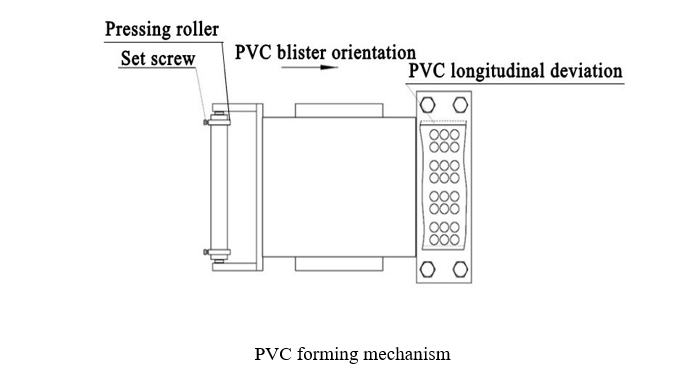
Adjustment of PVC Forming Mechanism
Step 1: Loosen the set screws.
Step 2: Move the PVC pressing roller until the PVC is in the proper position.
Step 3: Tighten the set screws.
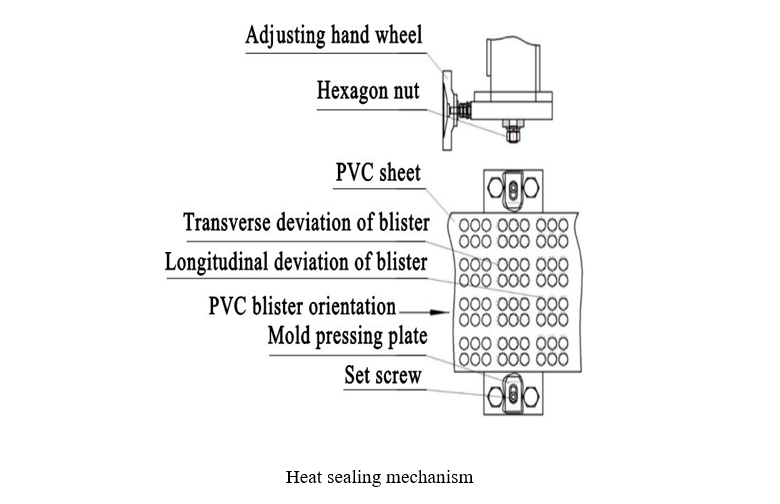
Adjustment of Heat Sealing Mechanism
For transverse deviation of blister:
Step 1: Loosen the hexagon nut.
Step 2: Turn the adjusting handwheel to move the mold into the proper position. (If the handwheel is rotated clockwise, the mold moves forward, and the blister position moves backward; vice versa.)
Step 3: Tighten the hex nut.
For longitudinal deviation of blister:
Step 1: Loosen the set screws.
Step 2: Move the mold pressing plate left and right until the blister is properly aligned with the mold.
Step 3: Tighten the set screws.
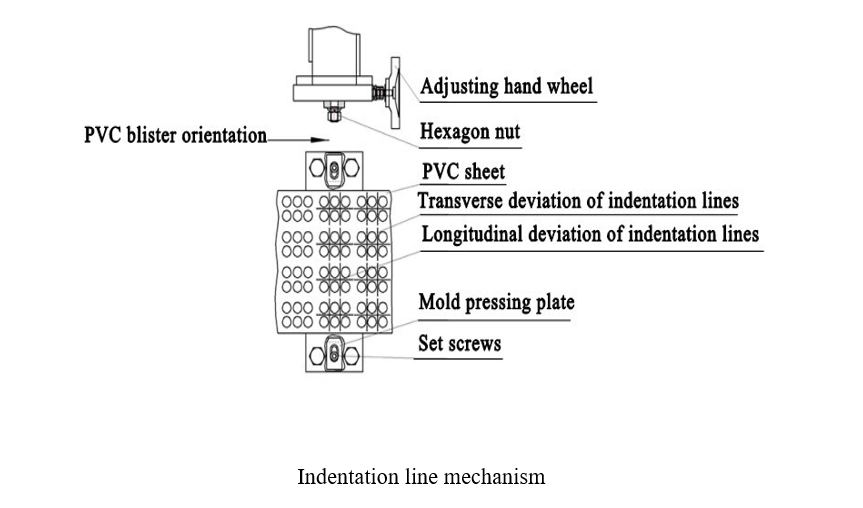
Adjustment of the Indentation Line Mechanism
For transverse deviation of indentation lines:
Step 1: Loosen the hexagon nut.
Step 2: Turn the adjusting hand wheel to put the mold in the proper position.
Step 3: Tighten the hex nut.
For longitudinal deviation of indentation lines:
Step 1: Loosen the set screws.
Step 2: Move the mold pressing plate left and right until the blister is properly aligned with the mold.
Step 3: Tighten the set screws.
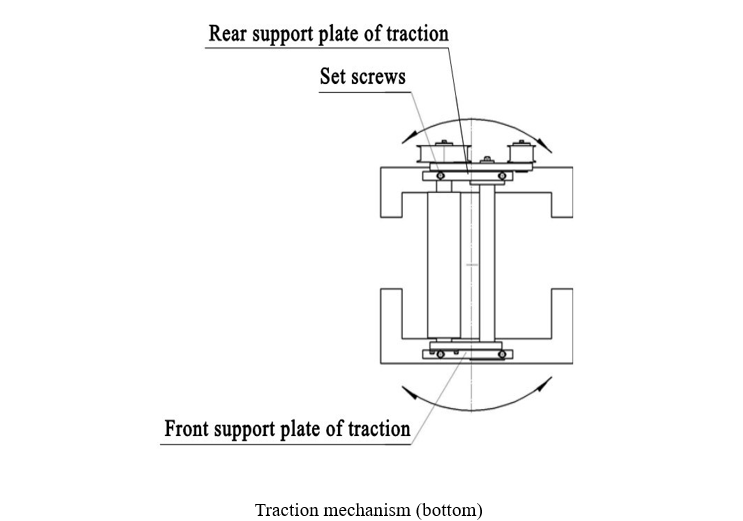
Adjustment of traction mechanism
Step 1: Open the door of the machine cabinet near the traction mechanism.
Step 2: Loosen the four positioning screws at the bottom of the traction mechanism.
Step 3: Move the front and rear support plates of the traction mechanism to slightly rotate it until the moving direction of the traction transmission mechanism aligns with the direction of the PVC film.
Step 4: Tighten all set screws.
Step 5: Close the door of the machine cabinet.
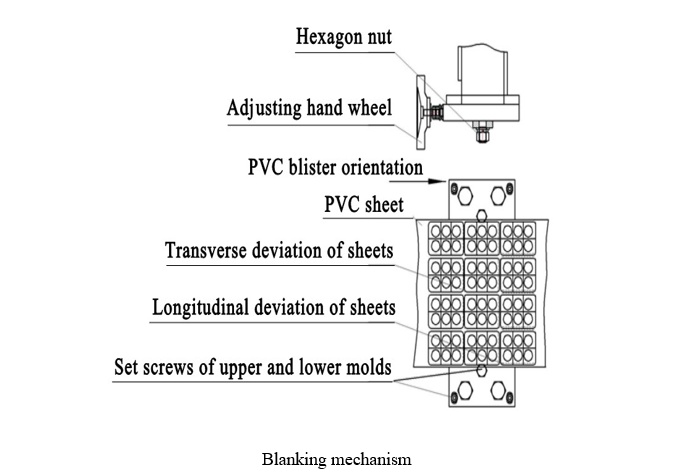
Adjustment of the Blanking Mechanism
For Transverse Deviation of Sheets:
Step 1: Loosen the hex nut.
Step 2: Turn the adjusting hand wheel to make the mold in proper position.
Step 3: Tighten the hex nut.
For Longitudinal Deviation of Sheets
Step 1: Loosen the set screws of the upper and lower molds.
Step 2: Move the mold left and right until the blister is aligned with the mold.
Step 3: Tighten the set screws.
Section 3: Maintenance Guides
Note 1: The machine shall be operated and maintained by qualified personnel.
Note 2: The worm gear reducer shall be lubricated with lubricating oil regularly.
Note 3: Add 3# molybdenum disulfide sodium-based grease once per shift to all gears, shafts, guide sleeves, and cams of the transmission mechanism.
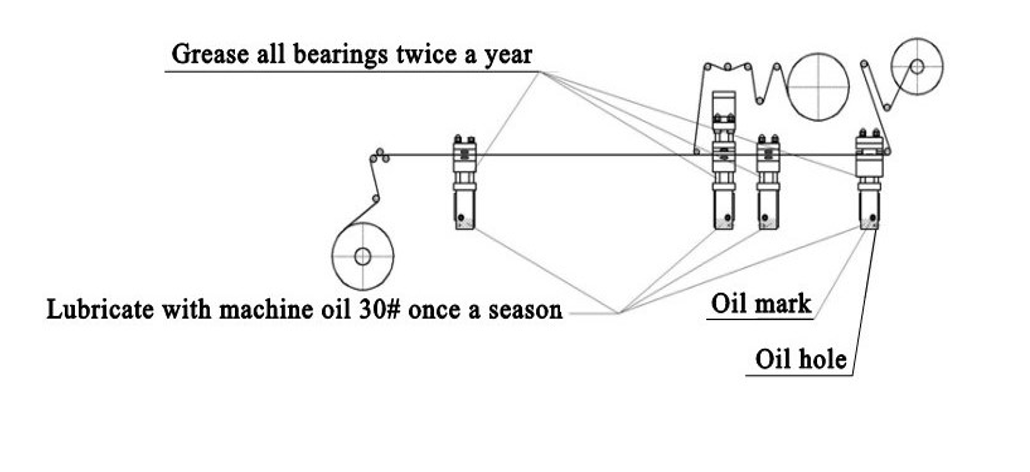
Note 4: Apply grease to all bearings twice a year.
Note 5: Lubricate with machine oil 30# once a month through the oil holes until the oil reaches the oil mark.